
| Enterprise options? Contact us to find the right solution for your company. |
Contact Sales |
What can Undet for SketchUp do for you?
Undet empowers SketchUp users to use point clouds in their workflows seamlessly and opens up new possibilities for increased productivity and creativity.
New Features Overview
The ultimate tool for turning point clouds into 3D models. Get a first look at the new and powerful Undet features
Undet Overview | Webinar
Undet’s plug-in for SketchUp offers an intuitive workflow that is easy to learn & simple to master. Using the feature-rich interface, you will be able to quickly and accurately model complex interiors and exteriors, extract objects from point clouds, and significantly reduce processing time.
Try Undet for yourself!
Request a Free Trial
Features
NEW: SLAM and mobile mapping support – load and visualize Navvis VLX and Trimble MX60 trajectories with 360° panoramic views via Undet Browser, directly linked to your SketchUp model.
NEW: Wall join tools to connect walls at L and T corners by selecting one face on each, trimming overlaps and closing gaps to merge both walls into a single solid.
NEW: Cut opening tool to create openings in walls directly from point cloud sections.
NEW: Depth-calculated transparency to see through dense point clouds while keeping wall outlines sharp and readable.
Doors and windows insertion tools to place door and window components into existing openings directly from point cloud sections, with automatic sizing and alignment.
3P Wall tool to draw walls by selecting three points — two for length, one for width — in single or chain mode for continuous wall creation.
Quick and easy point cloud slicing tools with slice volume adjustment. Including an automated tool to create a point cloud clipping box around selected SketchUp entities.
Auto feature extraction tools to extract planes, boxes, room volume, corner lines, pipes center lines & diameter.
Automatic entities fitting tools to fit horizontal planes, roof planes and actual planes to point cloud points.
Profile builder tool that automates architectural profile vectorization and modelling.
Automatic texturing tools to apply texture generated from a point cloud for one or multiple planes at once.
Automatic view sync feature to orientate view from the nearest scan stations in Undet Browser to unclear view of point cloud slice with a single click.
Quick access to point cloud viewer to view and analyze your 3D reality data in a way that feels like being live on site.
Tool to save point cloud views to native SketchUp Scenes.
Point cloud colouring rendering mode by reference plane in fixed intervals to quickly understand changes in geometry to draw or identify missing lines/objects.
Model inspection colouring mode to check 3D model accuracy and identify missed details with real-time point cloud visualization while modelling.
Model Inspection QC Report generation tools to compare 3D models against point cloud and view report in Undet browser based on 360-degree scan station images.
Fast and easy point cloud data import from any terrestrial and mobile mapping system, UAV, or photogrammetry software. Supported formats: *.E57, *.FLS, *.RCP/RCS, *.PTX, *.ZFS,*.LAS, *.LAZ, *.PTS, *.PLY, *.DP, *.FPR, *.LSPROJ, *.FWS, *.CL3, *.CLR, *.RSP and custom ASCII / TXT file format imports.
Point cloud visualization with multiple colour modes: by source (RGB), by intensity, by plane, by Z (height), by scan stations, and by additional transparency mode.
Optimized to maintain high computer and software performance even when working with large amounts of point cloud datasets (hundreds or even thousands of scan stations/files).
Coordinate system manager to move & rotate your point cloud quickly and align scan data to the 3D model or shift it to optimized coordinates to avoid screen glitching when working with georeferenced point clouds.
Toggling tools scan stations/files/logical classes in no time, with an intelligent indicator to quickly identify the densest scan file in the active point cloud slice.
Logical class management tools to reclassify the point cloud and manage the visibility of each logical class.
English, Italian, German, Japanese, Chinese and South Korean languages are available.
Ground terrain surface meshing tools from unclassified point clouds, and Digital Terrain Model (DTM) tool to build a mesh from filtered ground surface points.
Individual License Options
1-Month
89 EUR
Excluding VAT · Auto-renews monthly
–
Single-Device License: Runs on one computer at a time.
Easy Transfer: Move it to another device whenever you need.
Free Updates & New Features: Always get the latest software version at no extra cost.
Expert Support: Access help and guidance from our specialists.
Uninterrupted Access: Auto-renews so you never lose working time.
Annual license
500 EUR
Excluding VAT · Auto-renews yearly
–
Single-Device License: Runs on one computer at a time.
Easy Transfer: Move it to another device whenever you need.
Free Updates & New Features: Always get the latest software version at no extra cost.
Expert Support: Access help and guidance from our specialists.
Uninterrupted Access: Auto-renews so you never lose working time.
3-Year license
1200 EUR
Excluding VAT · Auto-renews every 3 years
–
Single-Device License: Runs on one computer at a time.
Easy Transfer: Move it to another device whenever you need.
Free Updates & New Features: Always get the latest software version at no extra cost.
Expert Support: Access help and guidance from our specialists.
Uninterrupted Access: Auto-renews so you never lose working time.
Ready to try?
Download Undet and start reaping the benefits!
* Undet works with SketchUp Pro (Windows only).
Undet's blog
Autocad, Point Clouds in SketchUp with Undet Undet, Revit, SketchUp, Undet for Revit, Undet for SketchUp
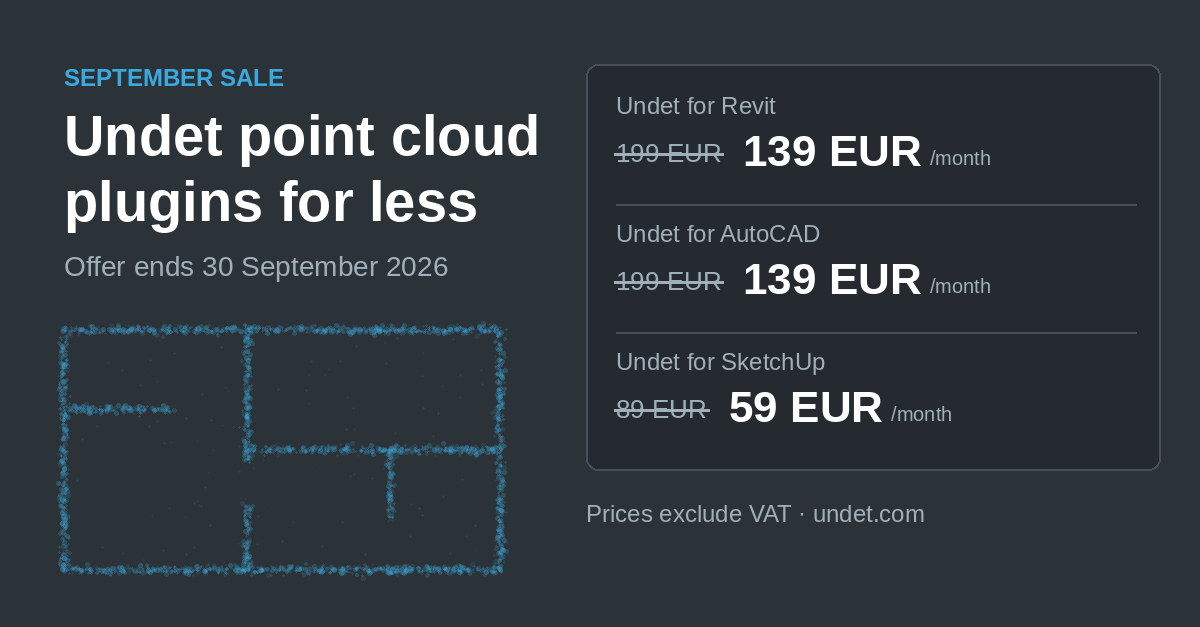
Undet September Sale: Point Cloud Plugins for Revit, AutoCAD and SketchUp
September sale · Monthly subscriptions During the Undet September sale, monthly subscriptions cost up to 60 EUR less per month….
READ MORE
Blog, Case study, Undet for ARES Commander, Undet's practical applications
UNDET Expands to Romania: KarmaCad Becomes Authorized Reseller
PARTNER NEWS · AUGUST 2026 · VILNIUS / BUCHAREST UNDET Expands to Romania: KarmaCad Becomes Authorized Reseller with a Complete…
READ MORE
Blog, New Product, Point cloud viewer
Xgrids Point Cloud Support in Undet – Panoramas & MMS – UNDET Indexer
Undet now brings full Xgrids point cloud support into your CAD and BIM workflow. The latest Undet Indexer update adds…
READ MORE